Nissan Sentra B18 (2020-2025) Owner's Manual: Security systems
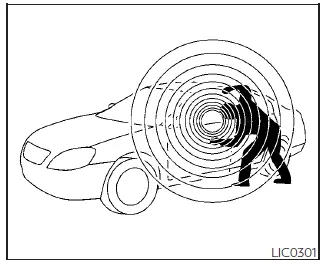
Your Nissan Sentra may be equipped with two different types of security systems designed to enhance vehicle protection and theft deterrence:
- Vehicle security system (if so equipped)
- NISSAN Vehicle Immobilizer System
Vehicle security system
The vehicle security system on the Nissan Sentra provides both visual and audible alarm signals if an unauthorized entry attempt is detected, such as when doors are opened while the system is armed. However, this system is not a motion- or vibration-detection system and will not activate solely due to vehicle movement or external vibrations.
This system helps deter vehicle theft, but it cannot completely prevent theft or the loss of interior or exterior vehicle components in all situations. Always take precautions to secure your Nissan Sentra, even when parking for a short time.
Never leave your keys inside the vehicle, and always lock the Nissan Sentra when it is unattended.
Remain aware of your surroundings and choose secure, well-lit parking areas whenever possible to further reduce the risk of theft.
Additional anti-theft devices, such as component locks, identification markings, and vehicle tracking systems, are available from automotive retailers and specialty shops. A NISSAN dealer may also offer approved accessories. Consult your insurance provider to determine whether discounts are available for vehicles equipped with theft protection features.
How to arm the vehicle security system
1. Close all windows and the moonroof (if so equipped). The system can still be armed even if the windows or moonroof remain open.
2. Remove the Intelligent Key from the Nissan Sentra.
3. Close and securely lock all doors, the hood, and the trunk. Doors can be locked using the Intelligent Key, the door handle request switch (if equipped), or the power door lock switch.
4. Wait approximately 30 seconds for the system to complete the pre-armed phase.
If any of the following actions occur during the pre-armed phase, the system will not arm:
- Any door is unlocked using the Intelligent Key or door request switch (if equipped).
- The ignition switch is placed in the AUTO ACC or ON position.
- Even if the driver or passengers remain inside the Nissan Sentra, the system will activate once all doors, the hood, and the trunk are locked with the ignition switch in the LOCK position. When the ignition switch is turned to the ON position, the security system will be deactivated.
Vehicle security system activation
When activated, the vehicle security system will trigger the following alarm responses:
- The headlights flash and the horn sounds intermittently.
- The alarm automatically shuts off after a certain period. If another unauthorized
entry is detected, the alarm will reactivate. The alarm can be stopped by pressing
the
 button on the Intelligent Key.
How to stop an activated alarm
The alarm can only be stopped by unlocking a door, pressing the
 button on the Intelligent Key, or pressing the request switch (if equipped) on the
driver’s or passenger’s door while the Intelligent Key is within operating range.
button on the Intelligent Key, or pressing the request switch (if equipped) on the
driver’s or passenger’s door while the Intelligent Key is within operating range.
NISSAN Vehicle Immobilizer System
The NISSAN Vehicle Immobilizer System prevents the Nissan Sentra engine from starting unless a registered Intelligent Key is used, providing an additional layer of protection against unauthorized use.
If the engine does not start using a registered key, interference may be present from another registered key or electronic devices such as toll transponders or payment systems attached to the key ring. In this case, restart the engine using the following procedure:
1. Leave the ignition switch in the ON position for approximately 5 seconds.
2. Turn the ignition switch to the OFF or LOCK position and wait about 10 seconds.
3. Repeat steps 1 and 2.
4. Restart the engine while keeping the interfering device separate from the registered Intelligent Key.
If the engine still does not start, NISSAN recommends placing the registered key on a separate key ring to minimize interference from other electronic devices.
FCC Notice:
For USA:
This device complies with Part 15 of the FCC Rules. Operation is subject to the following two conditions: (1) This device may not cause harmful interference, and
(2) this device must accept any interference received, including interference that may cause undesired operation.
NOTE:
Changes or modifications not expressly approved by the party responsible for compliance could void the user’s authority to operate the equipment.
For Canada:
This device contains licence-exempt transmitter(s)/receiver(s) that comply with Innovation, Science and Economic Development Canada’s licence-exempt RSS(s). Operation is subject to the following two conditions: (1) This device may not cause interference. (2) This device must accept any interference, including interference that may cause undesired operation of the device.
Other materials:
P161f Immobilizer
Dtc Description
DTC Description
DTC DETECTION LOGIC
DTC No.
CONSULT screen items
(Trouble diagnosis
content)
DTC detecting condition
...
Types of tires
WARNING
When changing or replacing tires on your Nissan Sentra, always ensure
that all four tires are of the same type (Summer, All Season, or Snow) and the
same construction. A NISSAN dealer can assist you in selecting the correct tire
type, size, speed rating, and availability suitabl ...
Component Parts
Meter System
Component Parts Location
Component Parts
Location
MODELS WITH CVT
A.
View of engine assembly removed
...