Nissan Sentra B18 (2020-2025) Owner's Manual: Vehicle information display warnings and indicators
The following warning messages and indicator notifications may appear in the vehicle information display of the Nissan Sentra, helping the driver quickly identify system status, reminders, or potential issues that may require attention.
 Engine start operation for Intelligent Key system (if I-Key battery level
is low)
Engine start operation for Intelligent Key system (if I-Key battery level
is low)
This indicator appears when the battery level of the Intelligent Key is low and when the Intelligent Key system and the Nissan Sentra are not communicating normally.
If this message appears, touch the ignition switch with the Intelligent Key while depressing the brake pedal to start the engine. This procedure allows continued operation of the Nissan Sentra even when the key battery is weak.
 Key Battery Low
This indicator appears when the Intelligent Key battery is running out of power.
If this indicator is displayed, replace the Intelligent Key battery with a new one as soon as possible to maintain reliable operation of the Nissan Sentra keyless entry and start systems.
 Key ID Incorrect
This warning appears when the ignition switch is moved from the OFF position and the Intelligent Key is not recognized by the system. The engine cannot be started with an unregistered or incompatible key.
 Key System Error: See Owner's Manual
After the ignition switch is placed in the ON position, this warning may appear briefly and then turn off.
The Key System Error message indicates a possible malfunction within the Intelligent Key system of the Nissan Sentra.
If the warning appears while the engine is stopped, starting the engine may not be possible.
If the warning appears while the engine is running, you may continue driving the vehicle. However, in this situation, have the system inspected as soon as possible. It is recommended that you visit an authorized NISSAN dealer for professional diagnosis and service.
 No Key Detected
This warning appears when the Intelligent Key is left outside the Nissan Sentra while the ignition switch is in the ON position. Confirm that the Intelligent Key is located inside the vehicle.
 No Key Press and hold to Stop Engine
This message appears when the Intelligent Key is not detected and the engine needs to be turned off safely.
 Brightness indicator
This indicator appears when the brightness level of the vehicle information display screen is being adjusted, allowing the driver to set optimal visibility for different lighting conditions.
Chassis Control System Error: See Owner's Manual
This warning appears if a malfunction is detected in the Chassis Control system. Have the system checked promptly. It is recommended that you visit a NISSAN dealer to ensure proper operation and safety of your Nissan Sentra.
Rear Door Alert is activated
When this system is enabled, the message appears while the Rear Door Alert system is active and serves as a reminder for the driver to check the rear seat area.
-
Using the steering wheel switch, the driver can select “Dismiss Message� to clear the display for a short period of time. If no selection is made, the message will automatically turn off after a brief interval. If the message remains visible, it does not indicate a malfunction.
-
Using the steering wheel switch, the driver can select “Disable Alert� to deactivate the selected alert for the remainder of the current trip in the Nissan Sentra.
WARNING
Selecting “Dismiss Message� during a stop within a trip temporarily dismisses the alert for that specific stop without turning the system off. Alerts may still be provided at other stops during the same trip. Selecting “Disable Alert� turns off the Rear Door Alert system for the remainder of the trip, and no audible alert will be provided.
NOTE:
This system remains disabled until the driver enables it through the vehicle information display settings.
Check Rear Seat For All Articles
When the system is enabled, this message appears after the vehicle comes to a complete stop, is shifted from the D (Drive) position to the P (Park) position, and the driver exits the Nissan Sentra. After a short delay and an audible alert, the message reminds the driver to check the rear seat for any passengers or items left behind.
NOTE:
This system remains disabled until the driver manually enables it using the vehicle information display. To ensure full functionality of all reminder and warning features, verify that the appropriate settings are activated within the Nissan Sentra display menu.
 Door/Trunk Open
This warning appears when any door or the trunk of the Nissan Sentra has been opened or is not fully closed. Always confirm that all doors and the trunk lid are securely shut before driving.
 Drive sport mode indicator
A small “S� appears to the right of the Transmission Shift Position indicator in the vehicle information display when the Drive Sport Mode is engaged on the Nissan Sentra.
Activate Drive Sport Mode by pushing the switch on the shift lever while the shift lever is in the D (Drive) position. This mode provides a more responsive driving feel by adjusting transmission behavior.
Headlight System Error See Owner's Manual
This warning appears when an error is detected in the headlight system. For additional details and recommended actions, refer to “Headlight and turn signal switch� in the Nissan Sentra Owner’s Manual.
 Loose Fuel Cap
This warning appears when the fuel-filler cap is not properly tightened after refueling the Nissan Sentra. Stop the vehicle and securely tighten the fuel cap until it clicks.
 Low Fuel
This warning appears when the fuel level in the tank becomes low. Refuel the Nissan Sentra as soon as it is convenient, preferably before the fuel gauge reaches 0 (Empty). A small fuel reserve remains when the gauge indicates Empty.
 Low Outside Temperature
This warning appears when the outside temperature drops below 37ºF (3ºC). The temperature unit can be changed between Celsius and Fahrenheit using the vehicle information display settings.
 Low
Washer Fluid
Low
Washer Fluid
This warning appears when the windshield washer fluid level is low.
Add windshield washer fluid as necessary to maintain clear visibility while driving the Nissan Sentra.
Power will turn off to save the battery
This message appears in the vehicle information display after a period of time if the ignition switch is in the AUTO ACC or ON position while the vehicle is in P (Park). For more information, see “Push-button ignition switch positions� in the Nissan Sentra Owner’s Manual.
Power turned off to save the battery
This message appears after the ignition switch has been automatically turned off to prevent battery discharge.
 Push brake and start switch to drive
This indicator appears when the shift lever is in the P (Park) position.
This indicator also appears when the Nissan Sentra has been started using the Remote Engine Start function, if equipped.
This message indicates that the engine can be started by pushing the ignition switch while depressing the brake pedal. The engine can be started from several ignition switch positions.
 Push Ignition to OFF
After the Push Ignition to OFF warning appears, the message will reappear if the ignition switch remains in the AUTO ACC position when the shift lever is moved to P (Park).
To cancel this warning, place the ignition switch in the ON position and then move it to the LOCK position.
 Rear
seat belt reminder
Rear
seat belt reminder
This warning appears for approximately 65 seconds after the ignition is turned to the ON position and the engine is started.
This message shows the status of the three rear seat belts. When a rear seat belt is buckled, the corresponding indicator appears gray. When a rear seat belt is unbuckled, the corresponding indicator appears red.
After any change in rear seat belt buckle status, an audible chime will sound and the warning will appear again for another 65 seconds.
NOTE:
When both the front seat belt chime and the rear seat belt reminder functions are active at the same time, the Nissan Sentra will prioritize the front seat belt chime and indicate it first on the vehicle information display.
Release Parking Brake
This warning appears when the parking brake is applied and the Nissan Sentra is driven. Always fully release the parking brake before driving to prevent unnecessary brake wear and to ensure normal vehicle operation.
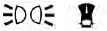 Reminder:
Turn OFF Headlights
Reminder:
Turn OFF Headlights
This warning appears when the headlights are left in the ON position after exiting the Nissan Sentra. To avoid battery drain, place the headlight switch in the OFF or AUTO position before leaving the vehicle.
 Rotate Steering Wheel and Push Start Switch
This indicator appears when the steering lock cannot be released.
If this message appears, push the ignition switch while gently turning the steering wheel to the right and left. This action helps unlock the steering column so the Nissan Sentra can be started normally.
 Shift to Park
This warning appears when the ignition switch is in the AUTO ACC or OFF position and the shift lever is not in the P (Park) position. In addition, a chime will sound while the ignition switch remains in the AUTO ACC or OFF position.
If this warning appears, move the shift lever to the P (Park) position and then start the engine to continue operating the Nissan Sentra safely.
Shipping Mode On Push Storage Fuse
This warning may appear if the extended storage switch has not been pushed in. When this message is displayed, push in the extended storage switch to cancel the warning and return the Nissan Sentra to normal operating mode.
 Timer Alert - Time for a break?
This indicator appears when the preset driving time is reached. The timer can be set for up to six hours and serves as a reminder to take a break during long drives in the Nissan Sentra.
Tire Pressure Low - Add Air
This warning appears when the low tire pressure warning light illuminates and low tire pressure is detected. The message will appear each time the ignition switch is placed in the ON position while the warning light remains on. If this warning appears, stop the Nissan Sentra as soon as it is safe to do so and adjust the tire pressure of all four tires to the recommended COLD tire pressure listed on the Tire and Loading Information label.
 Transmission Shift Position indicator
This indicator shows the current transmission shift position, allowing the driver to easily confirm the selected gear while operating the Nissan Sentra.
 CVT hot Power reduced
The Continuously Variable Transmission (CVT) in the Nissan Sentra is equipped with a high fluid temperature protection mode. If the transmission fluid temperature becomes excessively high, such as when climbing steep grades in hot weather with heavy loads, engine power and, in some cases, vehicle speed will be automatically reduced to help prevent transmission damage.
WARNING
When the high fluid temperature protection mode is activated, vehicle speed may gradually decrease and could become lower than surrounding traffic. This situation may increase the risk of a collision. Drive with extra caution. If necessary, pull over to a safe location and allow the transmission to cool and return to normal operation, or have the vehicle inspected and repaired if required.
 CVT
Malfunction Service now
CVT
Malfunction Service now
This warning appears when a malfunction is detected in the CVT system. If this message is displayed, have the Nissan Sentra inspected as soon as possible. It is recommended that you visit an authorized NISSAN dealer for professional service.
Engine hot Power reduced
The engine in the Nissan Sentra is also equipped with a high temperature protection mode. If engine temperature becomes too high, such as during prolonged uphill driving in high ambient temperatures with heavy loads, engine power and, under certain conditions, vehicle speed will be automatically reduced to minimize the risk of engine damage.
Vehicle speed can still be controlled using the accelerator pedal, but overall engine output and vehicle speed may be limited until temperatures return to a normal range.
WARNING
When the high fluid temperature protection mode is activated, vehicle speed may be gradually reduced. The reduced speed may be lower than surrounding traffic, which could increase the risk of a collision. Exercise extra caution when driving the Nissan Sentra under these conditions. If necessary, pull over to a safe location and allow the engine to return to normal operating temperature, or have the vehicle inspected and repaired if required.
Engine Malfunction: Power Reduced Service now
This warning appears when the engine is not operating under normal conditions and engine output has been limited. If this message is displayed, have the Nissan Sentra checked as soon as possible. It is recommended that you visit an authorized NISSAN dealer for professional service.
Engine Malfunction Service now
This warning appears when a malfunction is detected in the engine system. If this message appears, the system requires inspection. It is recommended that you visit a NISSAN dealer to diagnose and correct the issue affecting your Nissan Sentra.
 Engine
Oil Service due in - - - miles
Engine
Oil Service due in - - - miles
This message indicates the remaining distance until the next engine oil change. It is displayed when the distance to the oil change is less than 62 miles (100 km), helping Nissan Sentra owners plan timely maintenance.
Engine Stalled: Stop safely
This message appears approximately 30 seconds before the vehicle is automatically shut down due to an abnormally high exhaust temperature.
When this occurs, the Malfunction Indicator Light (MIL) and the red malfunction warning light will illuminate.
Have the system checked immediately. It is strongly recommended that you visit a NISSAN dealer without delay to prevent further damage to your Nissan Sentra.
 Automatic Emergency Braking with Pedestrian Detection warning indicator
This indicator appears together with an audible alert when the system detects a potential forward collision. The feature enhances safety by warning the driver of possible hazards ahead while driving the Nissan Sentra.
 BSW/RCTA
indicator
BSW/RCTA
indicator
This indicator appears when the Blind Spot Warning (BSW) system is active. Depending on equipment, it may also relate to Rear Cross Traffic Alert (RCTA) operation on the Nissan Sentra.
Currently not available
This message may appear when the Intelligent Cruise Control (ICC) system is engaged but temporarily unavailable.
Under the following conditions, the ICC system is automatically canceled:
-
When the Vehicle Dynamic Control (VDC) system is turned off
Additionally, the system cannot be used in certain driving situations, such as when VDC is actively operating, wheel slip is detected, or the VDC system is switched off.
 Driver
Attention Alert Malfunction
Driver
Attention Alert Malfunction
This warning appears when the Intelligent Driver Alertness system is not functioning correctly. Have the system inspected to restore proper operation in your Nissan Sentra.
 Driver
Attention Alert - Take a Break?
Driver
Attention Alert - Take a Break?
This alert appears when the system determines that the driver may be showing signs of fatigue or reduced attention, encouraging safer driving habits.
 ECO mode indicator
This indicator appears when ECO mode is engaged, signaling that the Nissan Sentra is operating in a fuel-efficient driving mode.
Forward Driving Aids Temporarily Disabled Front Sensor Blocked See Owner's Manual
This message appears when the front radar sensor is temporarily obstructed by conditions such as:
-
mud, dirt, snow, ice, or similar debris
-
adverse weather conditions including rain, fog, or snowfall
All forward driving assistance features are temporarily disabled until the system confirms that the front radar sensor is no longer blocked.
For additional information, refer to the following systems, if equipped on your Nissan Sentra:
-
Automatic Emergency Braking (AEB) with Pedestrian Detection
-
Intelligent Cruise Control (ICC)
-
Intelligent Forward Collision Warning (I-FCW)
 Idling Stop System
This indicator displays the current status of the Idling Stop System, which helps improve fuel efficiency by automatically stopping the engine when the Nissan Sentra is stationary.
 Intelligent Cruise Control (ICC) indicators
These indicators display the current operating status of the Intelligent Cruise Control (ICC) system in the Nissan Sentra. The system status is shown using different colors, allowing the driver to quickly understand whether ICC is active, on standby, or temporarily unavailable.
 Lane Departure Warning (LDW) indicator
This indicator appears when the Lane Departure Warning (LDW) system is engaged on the Nissan Sentra, indicating that the system is actively monitoring lane markings.
Malfunction
This warning appears when one or more of the following systems are not functioning correctly: Automatic Emergency Braking with Pedestrian Detection, Intelligent Forward Collision Warning (I-FCW), or Traffic Sign Recognition (TSR) system, if equipped on the Nissan Sentra.
If any of these warnings appear, have the system inspected. It is recommended that you visit an authorized NISSAN dealer to restore proper system operation.
Malfunction: See Owner's Manual
This warning appears when one or more of the following safety assistance systems are not operating properly:
-
Blind Spot Warning (BSW)
-
Rear Cross Traffic Alert (RCTA)
If one or more of these warnings appear, the Nissan Sentra should be checked by a qualified technician. Visiting a NISSAN dealer is recommended for accurate diagnosis and service.
Not Available Poor Road Conditions
This message may appear when the Intelligent Cruise Control (ICC) system is engaged but cannot operate due to unfavorable road conditions.
Under the following conditions, the ICC system will be automatically canceled:
-
When the Vehicle Dynamic Control (VDC) system is actively operating
-
When wheel slip is detected
In these situations, the system cannot be used because stability control intervention or wheel slip may affect safe operation.
Not Available System Malfunction
This warning appears when one or more of the following systems are not functioning properly on the Nissan Sentra:
-
Lane Departure Warning (LDW)
-
Rear Automatic Braking (RAB)
If this warning is displayed, have the affected systems checked. It is recommended that you visit a NISSAN dealer for professional service.
Parking Sensor Error: See Owner's Manual
This warning appears when a malfunction is detected in the parking sensor system. Refer to the Nissan Sentra Owner’s Manual for additional information and recommended actions.
 Rear Automatic Braking (RAB) system warning indicator
This indicator displays the current status of the Rear Automatic Braking (RAB) system, which assists the driver by detecting obstacles behind the Nissan Sentra while reversing.
 Speed Limit Sign indicator
This message may appear when the Traffic Sign Recognition system is active and detects posted speed limit signs while driving the Nissan Sentra.
Unavailable: High Cabin Temperature
This message appears when the camera detects an interior cabin temperature exceeding approximately 104ºF (40ºC), which may temporarily limit system operation.
Unavailable: High Camera Temperature
This message appears when the camera temperature rises above approximately 104ºF (40ºC). System functionality will return once the camera temperature decreases to a normal range.
Unavailable: Side Radar Obstruction
This message appears when the Blind Spot Warning (BSW) or Rear Cross Traffic Alert (RCTA) systems become unavailable due to an obstruction detected near the side radar sensors.
 Vehicle
ahead detection indicator
Vehicle
ahead detection indicator
This indicator appears when the following systems are active and have detected a vehicle ahead of the Nissan Sentra:
-
Automatic Emergency Braking (AEB) with Pedestrian Detection
-
Intelligent Forward Collision Warning (I-FCW)
Other materials:
Shift Position Indicator Circuit
Component Parts Function Inspection
Component Parts Function Inspection
CHECK SHIFT POSITION INDICATOR
Start the engine.
Shift selector lever.
Check that the shift position and the
shift po ...
C106b-64 Stop Lamp Switch
Dtc Description
DTC Description
DTC DETECTION LOGIC
DTC No.
CONSULT screen item
(Trouble diagnosis
content)
DTC detection condition
...
U215b-87 Can Comm Err (ipdm E/r)
Dtc Description
DTC Description
DESCRIPTION
CAN (Controller Area Network) is a serial communication
line for real time applications. It is an on-Nissan Sentra vehicle multiplex communication
line with high data communication speed and excellent error detection
ability. Modern Nissan ...