Nissan Sentra B18 (2020-2025) Service Manual: Operation
4.2 Inch Information Display
Operation
Operation
SWITCH NAME AND FUNCTION
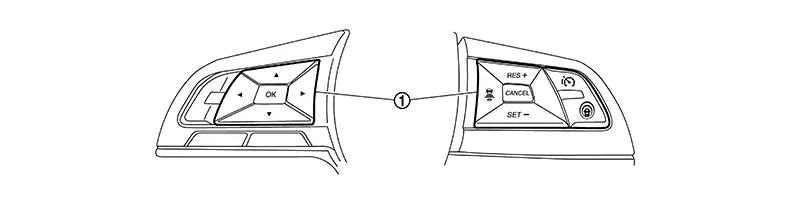
|
No. |
Switch name |
Description |
|---|---|---|
|
|
Steering switch |
|

SYSTEM DISPLAY
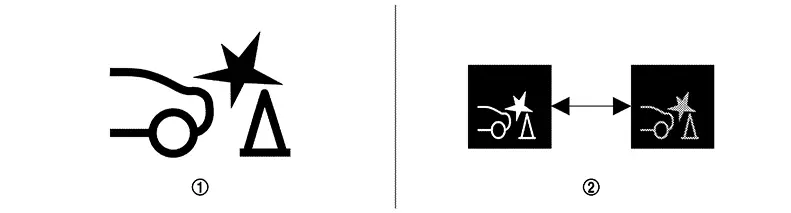
|
No. |
Switch name |
Description |
|---|---|---|
|
|
RAB warning lamp |
|
DISPLAY AND WARNING
System Display
|
Condition |
Action |
Warning lamp |
Buzzer |
|
|---|---|---|---|---|
|
RAB OFF |
— |
ON |
OFF |
|
|
RAB ON |
There is not a possibility of a collision with the object backward |
— |
OFF |
OFF |
|
There is a possibility of a collision with the object backward |
Operates brake |
OFF |
Beep |
|
|
RAB system malfunction |
The RAB system is automatically canceled* |
ON |
Beep |
|
|
When RAB system cannot be operated temporily |
The RAB system is automatically canceled* |
Blink |
OFF |
|
7 Inch Information Display
Operation
Operation
SWITCH NAME AND FUNCTION
|
No. |
Switch name |
Description |
|---|---|---|
|
|
Steering switch |
|
SYSTEM DISPLAY
|
No. |
Switch name |
Description |
|---|---|---|
|
|
RAB warning lamp |
|
|
|
RAB indicator |
Blinks when there is a possibility of a collision with the object backward |

DISPLAY AND WARNING
System Display
|
Condition |
Action |
Display on information display |
Warning lamp |
Buzzer |
|
|---|---|---|---|---|---|
|
RAB OFF |
— |
— |
ON |
OFF |
|
|
RAB ON |
There is not a possibility of a collision with the object backward |
— |
— |
OFF |
OFF |
|
There is a possibility of a collision with the object backward |
Operates brake |
White⇔Red 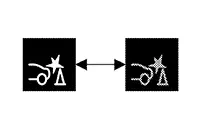
|
OFF |
Beep |
|
|
RAB system malfunction |
The RAB system is automatically canceled* |
Malfunction See Owner’s Manual |
ON |
Beep |
|
|
When RAB system cannot be operated temporily |
The RAB system is automatically canceled* |
— |
Blink |
OFF |
|
Other materials:
System Settings Cannot Be Turned On/off
Diagnosis Procedure
Diagnosis Procedure
CHECK SYSTEM SETTING
Turn ignition switch ON.
Check that the each system settings is
selectable on the combination meter.
Is the inspection result norma ...
B107e-52 Air Bag Lock Mode
Dtc Description
DTC Description
DTC DETECTION LOGIC
DTC No.
CONSULT screen items
(Trouble diagnosis
content)
DTC Detection Condition
...
Seat. Preparation
Preparation
Special Service Tool
Special Service Tool
The actual shape of the tools may differ from those
illustrated here.
Tool number
(TechMate No.)
Tool name
...