Nissan Sentra B18 (2020-2025) Owner's Manual: System temporarily unavailable
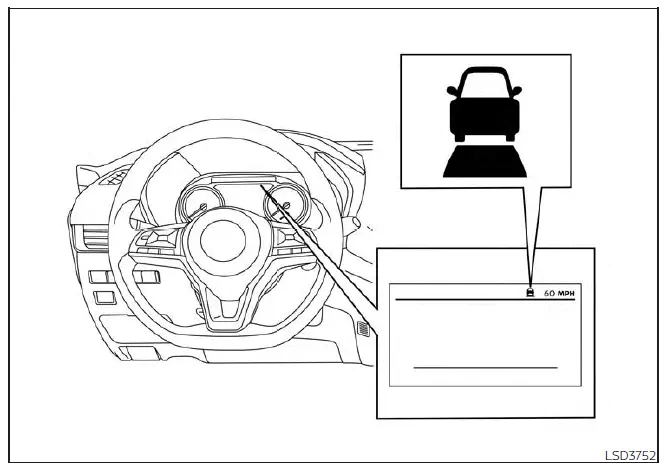
The following conditions may cause the Intelligent Cruise Control (ICC) system in the Nissan Sentra to become temporarily unavailable.
In these situations, the ICC system may not cancel automatically and may be unable to maintain the selected following distance from the vehicle ahead.
Condition A
Under the following conditions, the ICC system will be canceled automatically. A warning chime will sound, and the system cannot be set:
- When the Vehicle Dynamic Control (VDC) system is turned off
- When the VDC or ABS system is actively operating
- When a vehicle ahead is not detected and the Nissan Sentra is traveling below approximately 15 mph (24 km/h)
- When the system determines that the vehicle has come to a complete standstill
- When the shift lever is not in the D (Drive) position or L (Low) position (if so equipped)
- When the parking brake is applied
- When wheel slip is detected
- When the radar signal is temporarily interrupted
Action to take
Once the conditions listed above are no longer present, turn the ICC system off using the ICC switch. Then turn the ICC system back on to resume use in the Nissan Sentra.
Condition B
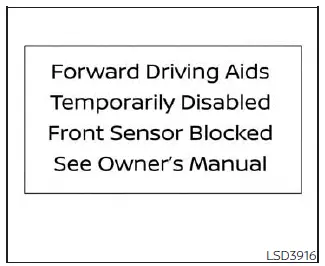
When inclement weather conditions such as rain, fog, or snow block the front radar sensor, the ICC system will be canceled automatically. A chime will sound and the message “Forward Driving Aids Temporarily Disabled – Front Sensor Blocked: See Owner’s Manual� will appear in the vehicle information display.
Action to take
When these weather conditions improve, the warning message will disappear and the ICC system will return to normal operation. If the message “Forward Driving Aids Temporarily Disabled – Front Sensor Blocked: See Owner’s Manual� remains displayed, have the system inspected. It is recommended that you visit an authorized NISSAN dealer for service.
Condition C
If the radar sensor area on the front bumper is covered by mud, dirt, snow, ice, or other obstructions, the ICC system will be canceled automatically.
A chime will sound and the “Forward Driving Aids Temporarily Disabled – Front Sensor Blocked: See Owner’s Manual� warning message will appear in the vehicle information display.
Action to take
If this warning message appears, safely stop the Nissan Sentra, shift to the P (Park) position, and turn the engine off. Clean the radar sensor area on the front bumper and restart the engine. If the warning message remains, have the system checked by a NISSAN dealer.
Condition D
When driving in environments with limited road structures—such as long bridges, desert areas, snow fields, or alongside extended walls—the ICC system may illuminate the warning light and display the “Forward Driving Aids Temporarily Disabled – Front Sensor Blocked: See Owner’s Manual� message.
Action to take
When these driving conditions no longer exist, turn the ICC system back on to resume normal operation.
Condition E
If the ICC system is not operating properly, a warning chime will sound and the ICC system warning light (orange) will illuminate.
Action to take
If the warning light illuminates, park the Nissan Sentra in a safe location. Turn the engine off, restart it, resume driving, and attempt to set the ICC system again.
If the system cannot be set or the indicator remains illuminated, the ICC system may be malfunctioning. Although the vehicle can still be driven under normal conditions, have the system inspected. It is recommended that you visit an authorized NISSAN dealer for this service.
NOTE:
If the ICC system is temporarily unavailable, the conventional (fixed speed) cruise control mode may still be used.
Other materials:
P0452 Evap Control System Pressure Sensor
Dtc Description
DTC Description
DTC DETECTION LOGIC
DTC
CONSULT screen terms
(Trouble diagnosis
content)
DTC detection
condition
...
P2101 Electric Throttle Control Function
Dtc Description
DTC Description
DTC DETECTION LOGIC
DTC
CONSULT screen terms
(Trouble diagnosis
content)
DTC detection
condition
...
Service Data and Specifications (sds). Service Data and Specifications (sds)
Service Data and Specifications (sds)
Bulb Specifications
Bulb Specifications
Item
Wattage (W)*
Bulb No.
Front combi ...