Nissan Sentra B18 (2020-2025) Owner's Manual: Remote Engine Start
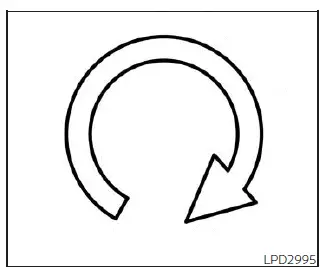
The
 button is available on the NISSAN Intelligent Key when the Nissan Sentra is equipped
with the Remote Engine Start system. This convenient feature allows the engine of
the Nissan Sentra to be started from outside the vehicle, helping to pre-condition
the cabin before driving.
button is available on the NISSAN Intelligent Key when the Nissan Sentra is equipped
with the Remote Engine Start system. This convenient feature allows the engine of
the Nissan Sentra to be started from outside the vehicle, helping to pre-condition
the cabin before driving.
When the Remote Engine Start function is used, certain vehicle systems may operate differently depending on equipment and conditions:
- Vehicles equipped with a manual climate control system will resume operation using the last selected heating or cooling settings.
- Vehicles equipped with an automatic climate control system may automatically select a heating or cooling mode based on outside temperature and the interior cabin temperature of the Nissan Sentra.
Laws and regulations in some local communities may restrict or prohibit the use of the Remote Engine Start feature, or may limit the amount of time a parked engine is allowed to idle. For example, some regulations require the vehicle to remain within the driver’s line of sight, while others limit engine idling except during extremely cold conditions.
Always check and comply with local laws and regulations before using the Remote Engine Start feature on your Nissan Sentra.
Additional conditions, including environmental factors and vehicle status, may affect the operation of the Remote Engine Start system.
Other conditions may also influence the performance and communication range of the Intelligent Key transmitter.
Remote Engine Start operating range
WARNING
- To help reduce the risk of injury or death caused by unintended vehicle operation or system activation, including window entrapment or accidental door locking, never leave children, individuals requiring assistance, or pets unattended inside the Nissan Sentra. On warm days, the temperature inside a closed vehicle can rise rapidly and become life-threatening.
- Do not use the Remote Engine Start feature in enclosed or poorly ventilated spaces such as garages. Exhaust gases contain carbon monoxide, which is colorless and odorless but extremely dangerous. Inhalation can cause unconsciousness or death.
CAUTION
If the Intelligent Key battery is weak or if strong radio wave interference is present near the vehicle, the operating range of the Intelligent Key may be reduced and the Remote Engine Start function on the Nissan Sentra may not operate correctly.
The Remote Engine Start feature can only be activated when the Intelligent Key is within the specified operating range of the vehicle.
The Remote Engine Start operating range is approximately 197 ft (60 m) from the Nissan Sentra under normal conditions.
Remote starting the vehicle
To start the engine of the Nissan Sentra using the Remote Engine Start feature, follow the steps below:
1. Aim the
 Intelligent Key toward the vehicle.
2. Press the lock button to lock all doors.
3. Within 5 seconds, press and hold the
 button until the turn signal lights flash and the tail lamps illuminate. If the
vehicle is not within direct view, press and hold the
button until the turn signal lights flash and the tail lamps illuminate. If the
vehicle is not within direct view, press and hold the
 button for at least 2 seconds.
The following actions will occur once the engine successfully starts:
- The parking lights will turn on and remain illuminated while the engine is running.
- All doors will remain locked, and the climate control system may activate automatically.
- The engine will continue running for up to 20 minutes.
Before driving the Nissan Sentra, press and hold the brake pedal, then push the push-button ignition switch to the ON position.
Canceling a Remote Engine Start
The Remote Engine Start operation can be canceled by performing any of the following actions:
- Aim the Intelligent Key at the vehicle and press
 until the parking lights turn off.
 - Activate the hazard warning flashers.
- Turn the ignition switch ON and then OFF.
- Allow the extended engine run time to expire.
- Allow the initial 20-minute engine run timer to expire.
- Open the engine hood.
- Move the shift lever out of the P (Park) position.
- Trigger the vehicle alarm due to unauthorized entry.
- Press the ignition switch without an Intelligent Key inside the vehicle.
- Press the ignition switch with an Intelligent Key present but without depressing the brake pedal.
- Depress the accelerator pedal.
- Allow the vehicle to move after a remote engine start, which will cause the hazard flashers to blink once and the engine to shut off.
Conditions the Remote Engine Start will not work
The Remote Engine Start system on the Nissan Sentra will not operate if any of the following conditions are present. These safeguards are designed to ensure safe and reliable operation of the vehicle:
- The ignition switch is placed in the ON position.
- The hood is not fully closed or securely latched.
- The hazard indicator lights are turned on.
- The engine is still running. The engine must be completely stopped; wait at least 6 seconds after shutdown before attempting another remote start.
- The
 button is not pressed and held for a minimum of 2 seconds.
 - The
 button is not pressed and held within 5 seconds after pressing the lock button.
 - The brake pedal is depressed.
- One or more doors are not fully closed and locked.
- The trunk lid is open.
- A “Key System Error: See Owner’s Manual� message or any engine-related warning appears in the vehicle information display.
- The vehicle alarm has been activated due to unauthorized entry.
- A Remote Engine Start cycle has already been used. To enable Remote Engine Start again, the Nissan Sentra must be driven at speeds above 4 mph (7 km/h).
- The vehicle is not in the P (Park) position.
- A registered Intelligent Key is detected inside the vehicle.
When any of these conditions occur, the Remote Engine Start system of the Nissan Sentra may display a warning message or indicator in the vehicle information display to inform the driver.
Other materials:
P1526 Vehicle Speed Sensor
Dtc Description
DTC Description
DTC DETECTION LOGIC
DTC
CONSULT screen terms
(Trouble diagnosis
content)
DTC detection
condition
...
Power Outlet. Preparation. Preparation. Special Service Tool
Preparation. Special Service Tool
Special Service Tool
Special Service Tool
The actual shape of the tools may differ from those
illustrated here.
Tool number
(TechMate No.)
Tool name
&nb ...
B203f-14 Outside Antenna
Dtc Description
DTC Description
DTC DETECTION LOGIC
DTC No.
CONSULT screen items
(Trouble diagnosis
content)
DTC detecting condition
...