Nissan Sentra B18 (2020-2025) Service Manual: Warning Function
System Description
System Description
OPERATION DESCRIPTION
The warning function are as per the following items and are given to the user as warning information and warnings using combinations of Intelligent Key warning buzzer, combination meter buzzer, KEY warning lamp and information display in combination meter:
-
Intelligent Key system malfunction
-
OFF position warning
-
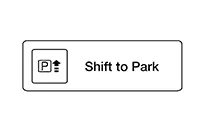
P position warning
-
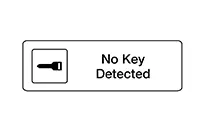
No key detected warning
-
Door lock operation warning
-
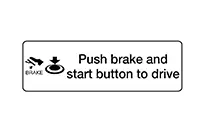
Engine start information
-
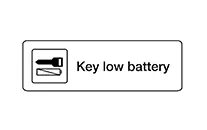
Intelligent Key low battery warning
-
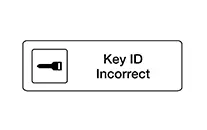
Key ID warning
-
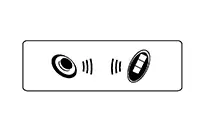
Key ID verification information
OPERATION CONDITION
Once the following condition from below is established, alert or warning is executed:
|
Warning/Information functions |
Operation procedure |
|
|---|---|---|
|
Intelligent Key system malfunction |
When a malfunction is detected on BCM, “KEY” warning lamp illuminates. |
|
|
OFF position warning |
For internal |
When condition A, B or condition C is satisfied
|
|
For external |
OFF position warning (For internal) is in active mode, driver side door is closed. Note:
OFF position (For external) active only when each of the sequence occurs as below: P position warning → ACC warning → OFF position warning (For internal) → OFF position warning (For internal) |
|
|
P position warning |
For internal |
|
|
For external |
Warning is activated when driver door is closed from the open position while the P (Park) position warning (for inside Nissan Sentra vehicle) is ON. |
|
|
No key detected warning |
Door is open to close |
|
|
Door is open |
|
|
|
Push-button ignition switch operation |
|
|
|
Door lock operation warning |
When door lock operation is requested while door lock operating condition of door request switch or Intelligent Key are not satisfied |
|
|
Engine start information |
Ignition switch is ON position |
|
|
Ignition switch is except ON position |
|
|
|
Intelligent Key low battery warning |
When Intelligent Key is low battery, BCM is detected after ignition switch is turned ON |
|
|
Key ID warning |
When registered Intelligent Key cannot be detected inside the Nissan Sentra vehicle after ignition switch is placed ON |
|
|
Key ID verification information |
|
|
WARNING METHOD
The following table shows the alarm or warning methods with chime:
|
Warning/Information functions |
“KEY” warning lamp |
Information display (combination meter) |
Warning chime |
||
|---|---|---|---|---|---|
|
Combination meter buzzer |
Intelligent Key warning buzzer |
||||
|
Intelligent Key system malfunction |
Indicate |
— |
— |
— |
|
|
OFF position warning |
For internal |
— |
— |
Activate |
— |
|
For external |
— |
— |
— |
Activate |
|
|
P position warning |
For internal |
— |
 |
Activate |
— |
|
For external |
— |
Active |
|||
|
No key detected warning |
Door is open to close |
— |
 |
Activate |
Activate |
|
Door is open |
— |
— |
|||
|
Push-button ignition switch operation |
Activate |
— |
|||
|
Door lock operation warning |
Request switch operation |
— |
— |
— |
Activate |
|
Intelligent Key |
— |
— |
— |
Activate |
|
|
Key ID warning |
— |
 |
— |
— |
|
|
Engine start information |
— |
 |
— |
— |
|
|
Intelligent Key low battery warning |
— |
 |
— |
— |
|
|
Key ID verification information |
— |
 |
— |
— |
|
LIST OF OPERATION RELATED PARTS
Parts marked with × are the parts related to operation.
|
Warning function |
Intelligent Key |
Ignition switch |
Door switch |
Door request switch (if equipped) |
Inside key antenna |
Outside key antenna |
Intelligent Key warning buzzer |
Combination meter buzzer |
CAN communication system |
BCM |
Information display |
“KEY” warning lamp |
|
|---|---|---|---|---|---|---|---|---|---|---|---|---|---|
|
Intelligent Key system malfunction |
× |
× |
× |
||||||||||
|
OFF position warning |
For internal |
× |
× |
× |
× |
||||||||
|
For external |
× |
× |
× |
||||||||||
|
P (Park) position warning |
× |
× |
× |
× |
× |
× |
|||||||
|
No key detected warning |
Door is open or close |
× |
× |
× |
× |
× |
× |
× |
× |
× |
|||
|
Door is open |
× |
× |
× |
× |
× |
× |
× |
||||||
|
Push-button ignition switch operation |
× |
× |
× |
× |
× |
× |
× |
× |
|||||
|
Door lock operation warning |
× |
× |
× |
× |
× |
× |
× |
||||||
|
Key ID warning |
× |
× |
× |
× |
× |
× |
|||||||
|
Engine start information |
Ignition switch is ON position |
× |
× |
× |
× |
× |
× |
||||||
|
Ignition switch is except ON position |
× |
× |
× |
× |
× |
× |
|||||||
|
Intelligent Key low battery warning |
× |
× |
× |
× |
× |
× |
|||||||
|
Key ID verification information |
× |
× |
× |
× |
× |
||||||||
Other materials:
B20d2-11 Parking Lamp Pwr Sply Circ
Dtc Description
DTC Description
DTC DETECTION LOGIC
DTC No.
CONSULT screen items
(Trouble diagnosis content)
DTC detection condition
...
U0131 Can Communication
Dtc Description
DTC Description
DTC DETECTION LOGIC
DTC
CONSULT screen terms
(Trouble diagnosis
content)
DTC detection
condition
...
C161a-83 Abs System
Dtc Description
DTC Description
DTC DETECTION LOGIC
DTC No.
CONSULT screen terms
(Trouble diagnosis content)
DTC detection condition
...