Nissan Sentra B18 (2020-2025) Owner's Manual: Sun visors
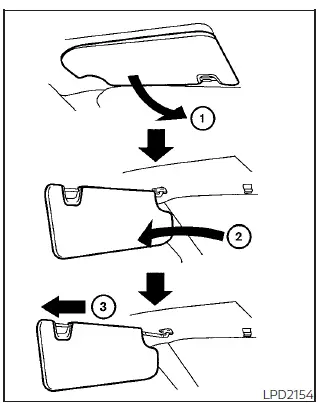
1. To reduce glare from the front, pull down the main sun visor 1.
2. To block glare from the side window, remove the main sun visor from the center mount and swing it toward the side 2.
3. To extend coverage, slide the sun visor extension in or out as needed 3.
CAUTION
- Always return the extension to its original position before storing the sun visor.
- Do not force the extension sun visor downward, as damage may occur.
Vanity mirrors
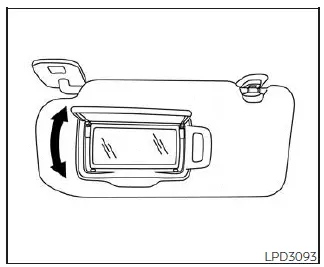
To use the vanity mirror, lower the sun visor and open the mirror cover.
Certain Nissan Sentra models are equipped with illuminated vanity mirrors that automatically turn on when the cover is opened.
Card holder
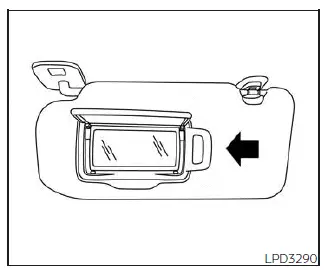
Driver's and passenger's side
Insert a card into the holder clip for convenient storage. Do not attempt to read or view information while operating the vehicle.
Other materials:
Precaution. Precautions
Precautions
Precaution for Supplemental Restraint System (srs) "air Bag" and "seat Belt Pre-Tensioner"
Precaution for Supplemental Restraint System (SRS) "AIR BAG" and "SEAT BELT PRE-TENSIONER"
The Supplemental Restraint System such as
“AIR BAG� and “SEAT BELT PRE-TENSIONER�,
u ...
Component Parts
Display Audio with Bose with 8" Color Display
Component Parts Location
Component Parts
Location
No.
Component
Function
...
Egr Cooler
Exploded View
Exploded View
1.
Vacuum delay valve
bracket
2.
EGR cooler
bracket
...