
Nissan Sentra Service Manual: Starting system (with intelligent key)
Wiring Diagram
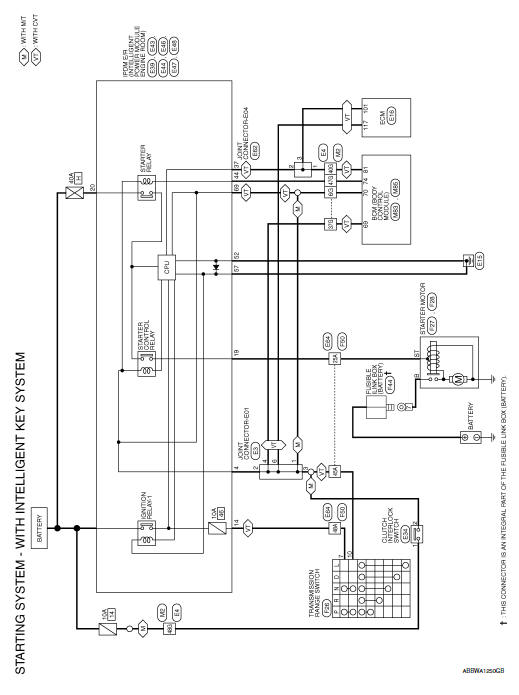
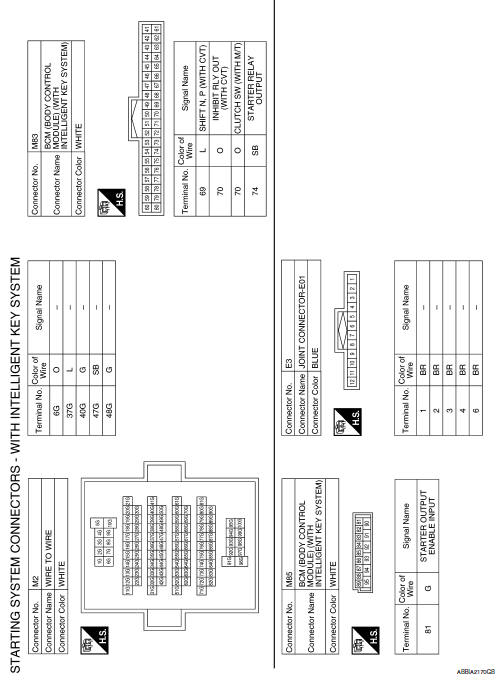
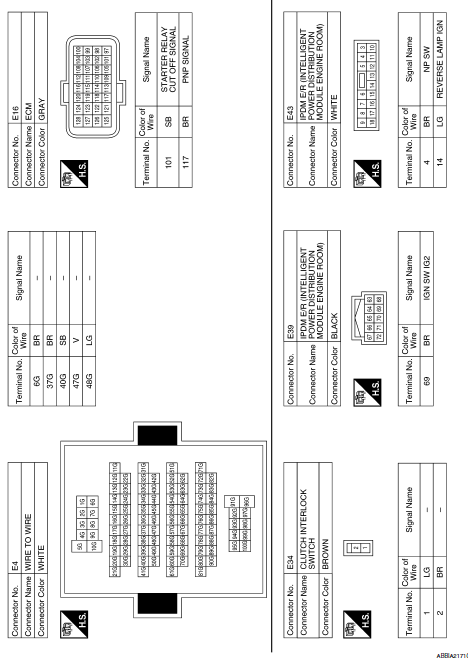
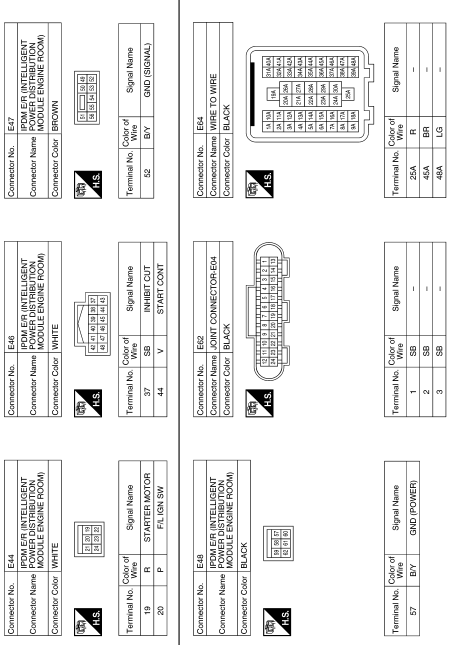
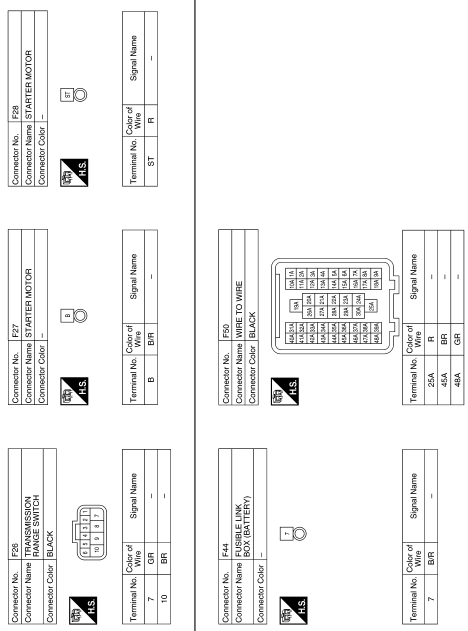
 Wiring diagram
...
 Starting system (without intelligent key)
Wiring Diagram
...
Other materials:
Abs branch line circuit
Diagnosis procedure
1.Check connector
Turn the ignition switch off.
Disconnect the battery cable from the negative terminal.
Check the terminals and connectors of the abs actuator and electric unit
(control unit) for damage, bend
and loose connection (unit side and connector side).
...
P0746 Pressure control solenoid A
DTC Logic
DTC DETECTION LOGIC
DTC
CONSULT screen terms
(Trouble diagnosis content)
DTC detection condition
Possible causes
P0746
PRESSURE CONTROL SOLENOID
A
(Pressure Control Solenoid A
Performance/Stuck Off)
The detecting condition A or detection conditi ...
Instrument panel
Headlight/fog light (if so equipped)/turn
signal switch
Steering wheel switch for trip
computer, audio control and
Bluetooth® Hands-Free Phone System
(if so equipped)
Driver’s supplemental air bag/Horn
Meters and gauges
Cruise control main/set switches
(if so equipped)
...
