
Nissan Sentra Owners Manual: Outside mirrors
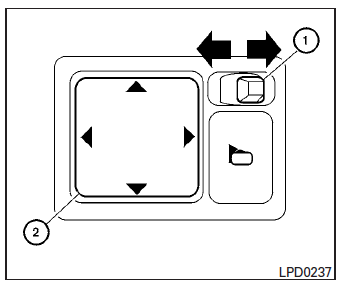
The outside mirror remote control will operate only when the ignition switch is in the ACC or ON position.
Move the small switch 1 to select the right or left mirror. Adjust each mirror to the desired position using the large switch 2 .
WARNING
|
Manual folding outside mirrors
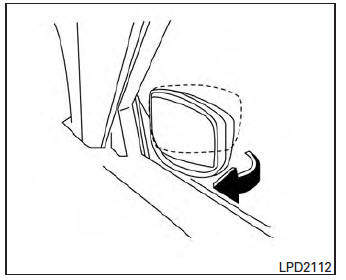
Pull the outside mirror toward the door to fold it.
Heated mirrors (if so equipped)
Some outside mirrors can be heated to defrost, defog, or de-ice for improved visibility. For additional information, see “Rear window and outside mirror defroster switch� in the “Instruments and controls� section of this manual.
 Automatic anti-glare rearview mirror (if so equipped)
The inside mirror is designed so that it automatically
dims according to the intensity of the headlights
of the vehicle following you. The automatic
anti-glare feature is activated when the ign ...

Other materials:
Interior lights
The interior light can be turned ON regardless
of door position. The light will go off after
a period of time unless the ignition switch is
placed in the ON position when any door is
opened.
The interior lights can be set to operate
when the doors are opened. To turn off the
int ...
Satellite radio reception (if so equipped)
When the satellite radio is used for the first time
or the battery has been replaced, the satellite
radio may not work properly. This is not a malfunction.
Wait more than 10 minutes with satellite
radio ON and the vehicle outside of any metal or
large building for satellite radio to receive a ...
Control buttons
The control buttons for the Bluetooth® Hands-Free
Phone System are located on the steering wheel.
PHONE/SEND
Press the button to
initiate a
VR session or answer an incoming
call.
You can also use the button to
interrupt the system feedback and
give a command at once. See “L ...
