
Nissan Sentra Service Manual: Preparation
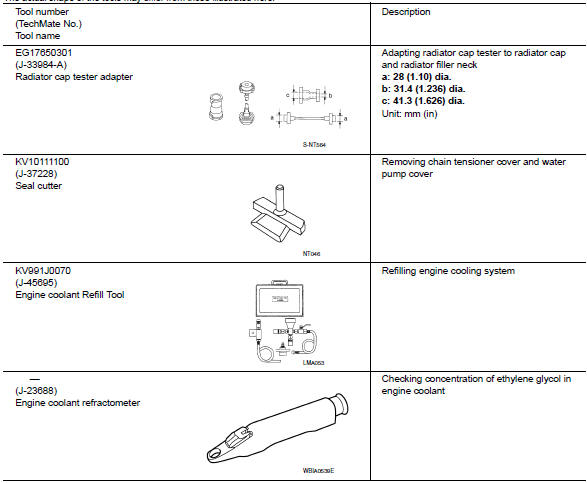
Special Service Tool
The actual shape of the tools may differ from those illustrated here.
Commercial Service Tool
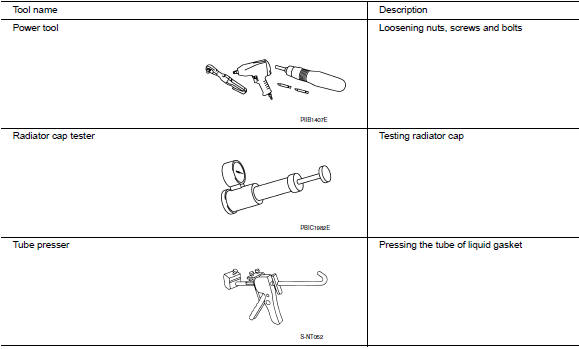
 Precaution for Liquid Gasket
Removal of liquid gasket
After removing the bolts and nuts, separate the mating surface and
remove the old liquid gasket using tool.
Tool number : kv10111100 (j-37228)
Caution:
Do not damag ...
 System description
DESCRIPTION
Engine Cooling System Schematic
CVT Models
Radiator
Water inlet
Reservoir tank
Thermostat
Engine oil cooler
Thermostat housing
Water pump
Cylinder head
Cylinder b ...
Other materials:
System description
Component parts
Body control system
BODY CONTROL SYSTEM : Component Parts Location
Bcm (view with instrument panel removed)
Combination switch reading system
COMBINATION SWITCH READING SYSTEM : Component Parts Location
BCM (view with combination meter
removed)
Combination s ...
Service data and specifications
(sds)
General Specification
Drive Belt
Spark Plug
*:Always check with the Parts Department for the latest parts information.
Exhaust Manifold
Camshaft
VALVE LIFTER
VALVE CLEARANCE
*: Approximately 80В°C (176В°F)
AVAILABLE VALVE LIFTER
*:Always check with the P ...
Condenser
Exploded view
Core support upper cover
High-pressure pipe
High-pressure flexible hose
Refrigerant pressure sensor
Condenser and liquid tank assembly
Core support upper
Front
Condenser
Condenser : removal and installation
REMOVAL
Discharge the refrigerant. Refer to HA-23, & ...
