Nissan Sentra B18 (2020-2025) Service Manual: Operation
Vehicle-To-Vehicle Distance Control Mode Function
Operation
Operation
SWITCH NAME AND FUNCTION
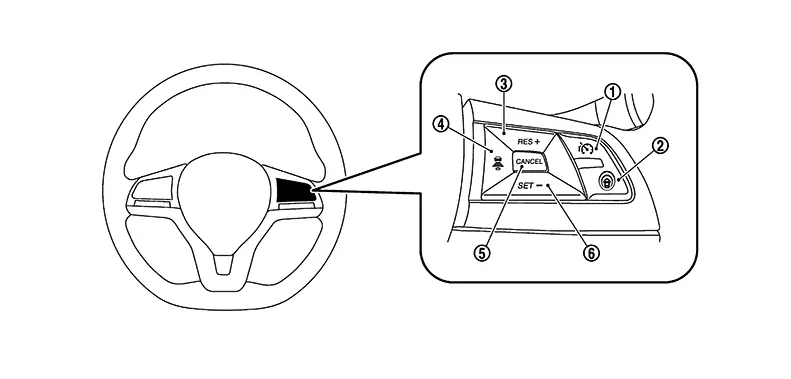
|
No. |
Switch name |
Description |
|---|---|---|
|
|
RES+ switch |
|
|
|
CANCEL switch |
Pressing the switch cancels ICC control |
|
|
SET- switch |

The minimum set speed is 30 km/h (20 MPH) |
|
|
ICC MAIN switch |
ICC MAIN switch to setting ON/OFF the speed limit control |
|
|
DISTANCE switch |
Changes the following distance from: Long, Middle, Short |


ICC SYSTEM DISPLAY (ON THE INFORMATION DISPLAY)
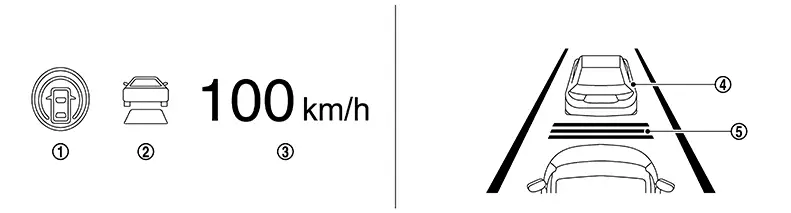
|
No. |
Switch name |
Description |
|---|---|---|
|
|
Speed control status indicator/warning |
The Nissan Sentra vehicle speed control status is indicated by different colors and shapes |
|
|
Set Nissan Sentra vehicle speed indicator |
Indicates the set Nissan Sentra vehicle speed |
|
|
Nissan Sentra Vehicle ahead detection indicator |
Indicates whether it detects a Nissan Sentra vehicle ahead |
|
|
Set distance indicator |
Indicates the selected distance between Nissan Sentra vehicles set with the DISTANCE switch |
SYSTEM CONTROL CONDITION DISPLAY
Quickly push (less than 1.5 seconds) and release the MAIN switch ON.
|
Condition |
Display on information display |
||
|---|---|---|---|
|
Standby mode |
Speed control status indicator/warning: Gray Set Nissan Sentra vehicle speed indicator: — 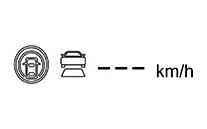
|
||
|
White 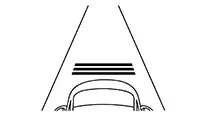
|
|||
|
Control mode |
Without a Nissan Sentra vehicle ahead |
Set vehicle distance (Long) |
Speed control status indicator/warning: White Set Nissan Sentra vehicle speed indicator: White
|
|
White
|
|||
|
Set Nissan Sentra vehicle distance (Middle) |
Speed control status indicator/warning: White Set Nissan Sentra vehicle speed indicator: White
|
||
|
White 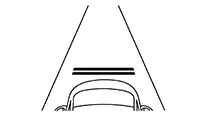
|
|||
|
Set Nissan Sentra vehicle distance (Short) |
Speed control status indicator/warning: White Set Nissan Sentra vehicle speed indicator: White
|
||
|
White 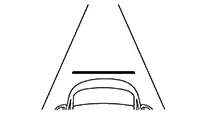
|
|||
|
When the Nissan Sentra vehicle speed exceeds the set speed |
Speed control status indicator/warning: White Set Nissan Sentra vehicle speed indicator: White (Blink) 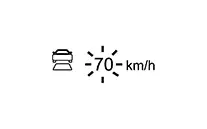
|
||
|
Control mode |
With a Nissan Sentra vehicle ahead |
Set vehicle distance (Long) |
Speed control status indicator/warning: White Set Nissan Sentra vehicle speed indicator: White 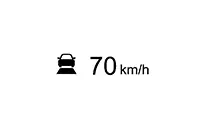
|
|
White 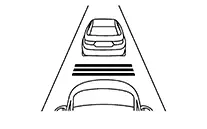
|
|||
|
Set Nissan Sentra vehicle distance (Middle) |
Speed control status indicator/warning: White Set Nissan Sentra vehicle speed indicator: White
|
||
|
White 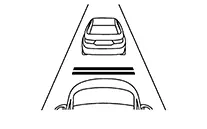
|
|||
|
Set Nissan Sentra vehicle distance (Short) |
Speed control status indicator/warning: White Set Nissan Sentra vehicle speed indicator: White
|
||
|
White 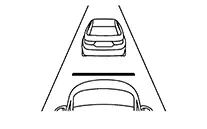
|
|||
|
When the Nissan Sentra vehicle speed exceeds the set speed |
Speed control status indicator/warning: White Set Nissan Sentra vehicle speed indicator: White (Blink) 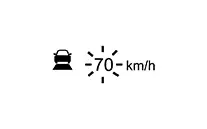
|
||
APPROACH WARNING DISPLAY
If own Nissan Sentra vehicle comes closer to a vehicle ahead due to rapid deceleration of that vehicle or if another vehicle cuts in, the system warns the driver with the chime and ICC system display. Decelerate by depressing the brake pedal to maintain a safe Nissan Sentra vehicle distance if:
-
The chime sounds.
-
The vehicle ahead detection indicator blinks in orange.
The warning chime may not sound in some cases when there is a short distance between Nissan Sentra vehicles. Some examples are:
-
When the vehicles are traveling at the same speed and the distance between Nissan Sentra vehicles is not changing.
-
When the vehicle ahead is traveling faster and the distance between Nissan Sentra vehicles is increasing.
-
When a vehicle cuts in at near own vehicle.
The warning chime will not sound when own Nissan Sentra vehicle approaches vehicles that are parked or moving slowly.
The warning chime will not sound when the accelerator pedal is depressed, overriding the system.
The approach warning chime may sound and the system display may blink when the distance sensor detects some reflectors which are fitted on Nissan Sentra vehicles in other lanes or on the side of the road.
This may cause the ICC system to decelerate or accelerate the Nissan Sentra vehicle.
The distance sensor may detect these objects when the vehicle is driven on winding roads, hilly roads or when entering or exiting a curve.
The distance sensor may also detect reflectors on narrow roads or in road construction zones.
In these cases, driver will have to manually control the proper distance ahead of own Nissan Sentra vehicle.
Also, the sensor sensitivity can be affected by vehicle operation (steering maneuver or driving position in the lane) or traffic or Nissan Sentra vehicle condition (for example, if a vehicle is being driven with some damage).
|
Condition |
Display on information display |
|---|---|
|
When own Nissan Sentra vehicle comes closer to the vehicle ahead and it is judged that the distance between the vehicles is not sufficient |
Nissan Sentra Vehicle ahead detection indicator: Yellow(Blink) 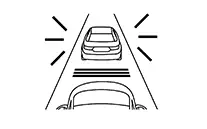
|
WARNING LAMP AND AUTOMATIC CANCELLATION DISPLAY
|
Condition |
Description |
Display on information display |
|
|---|---|---|---|
|
When the VDC is turned OFF |
A chime sounds and the control is automatically canceled. Note:
When the condition is no longer present, turn the system OFF. Turn the ICC system back on to use the system. |
Currently not available |
|
|
A chime sounds and the control is automatically canceled. Note:
When the conditions listed above are no longer present, turn the system OFF. Turn the ICC system back on to use the system. |
Not Available: Poor Road Conditions |
|
|
A chime sounds and the control is automatically canceled. Note:
|
Not Available Front Radar Blocked |
|
|
When the system is malfunctioning |
A chime sounds and the control is automatically canceled. Note:
|
Malfunction See Owner’s Manual |
|
|
Automatic cancellation display |
|
A chime sounds and the control is automatically canceled. Note:
|
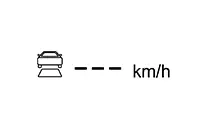 |
Conventional (fixed Speed) Cruise Control Mode Function
Operation
Operation
SWITCH NAME AND FUNCTION
|
No. |
Description |
Function |
|---|---|---|
|
|
RES+ switch |
|
|
|
CANCEL switch |
Deactivates system without erasing set speed |
|
|
SET− switch |
|
|
|
ICC MAIN switch |
ICC MAIN switch to setting ON/OFF the speed limit control |
ICC SYSTEM DISPLAY (ON THE INFORMATION DISPLAY)
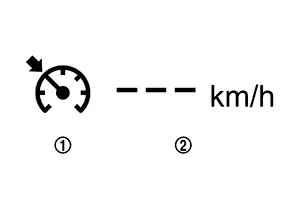
|
No. |
Description |
Function |
|---|---|---|
|
|
Cruise indicator |
Indicates the condition of the conventional (fixed speed) cruise control mode of the ICC system depending on a color |
|
|
Set Nissan Sentra vehicle speed indicator |
Indicates the set Nissan Sentra vehicle speed |
SYSTEM CONTROL CONDITION DISPLAY
Push and hold the ICC MAIN switch for longer than approximately 1.5 seconds. This mode will be in a standby state for setting.
|
Condition |
Display on information display |
|---|---|
|
Standby mode |
Cruise indicator : Gray Set Nissan Sentra vehicle speed indicator : — 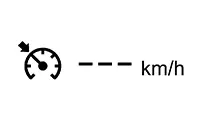
|
|
Control mode |
Cruise indicator : Green Set Nissan Sentra vehicle speed indicator : Green 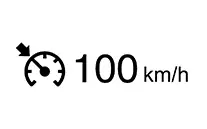
|
WARNING AND AUTOMATIC CANCELLATION DISPLAY
|
Condition |
Description |
Display on information display |
|---|---|---|
|
When the ICC system is in operation, the following conditions are met;
|
|
Cruise indicator : Gray Set Nissan Sentra vehicle speed indicator : —
|
|
When the ICC system is malfunctioning |
Turn the engine OFF and restart engine. If there is no malfunction, it is possible to set the system |
Cruise indicator: Yellow 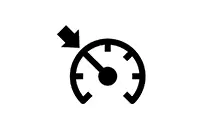
|
|
Not Available System Malfunction |
Other materials:
Traffic Sign Recognition (TSR)
The Traffic Sign Recognition (TSR) system in the Nissan Sentra provides the driver
with information about the most recently detected speed limit and certain traffic
signs. The system captures road sign data using the multi-sensing front camera unit
(A), which is mounted on the windshield i ...
Dtc Diagnosis [8ch Can Gateway (8ch Can Gateway)]
B2600-42 Config Error
Dtc Description
DTC Description
DTC DETECTION LOGIC
DTC No.
CONSULT screen terms
(Trouble diagnosis
content)
DTC detected
...
Precaution. Precautions
Precautions
Precaution for Supplemental Restraint System (srs) "air Bag" and "seat Belt Pre-Tensioner"
Precaution for Supplemental Restraint System (SRS) "AIR BAG" and "SEAT BELT PRE-TENSIONER"
The Supplemental Restraint System such as
“AIR BAG� and “SEAT BELT PRE-TENSIONER�,
u ...