
Nissan Sentra Service Manual: Preparation
Special service tools
The actual shape of the tools may differ from those illustrated here.
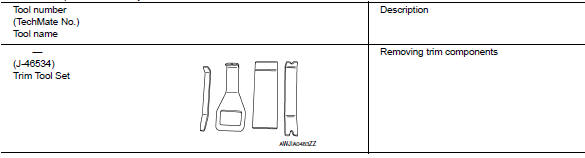
 Precaution for work
When removing or disassembling each component, be careful not to damage
or deform it. If a component
may be subject to interference, be sure to protect it with a shop cloth.
When removing (d ...

Other materials:
Unit disassembly and assembly
TRANSAXLE ASSEMBLY
Exploded View
CASE AND HOUSING
Filler plug
Gasket
Transaxle case
Bushing
Snap ring
Oil channel
Oil gutter
Position switch
Bracket
Differential side oil seal
Magnet
Drain plug
Input shaft oil seal
Clutch housing
2 way connector
Plug
Pinion ...
Rear door
Door assembly
DOOR ASSEMBLY : Removal and Installation
CAUTION:
Use two people when removing or installing the rear door assembly
due to its heavy weight.
When removing and installing rear door assembly, support rear door
with a suitable tool.
REMOVAL
Remove rear do ...
Windshield wiper and washer switch
Switch operation
Type A
Type B
The windshield wiper and washer operates when
the ignition switch is placed in the ON position.
Push the lever down to operate the wiper at the
following speed:
Intermittent (INT) — intermittent operation
can be adjusted by turning the knob A .
Lo ...
