Nissan Sentra B18 (2020-2025) Service Manual: Operation
I-Fcw
4.2 Inch Information Display
Operation
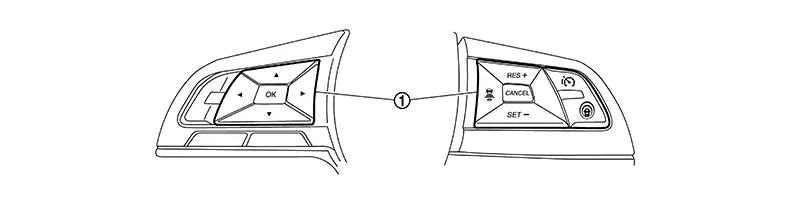
Switch Name and Function
|
No. |
Switch name |
Description |
|---|---|---|
|
|
Steering switch |
|

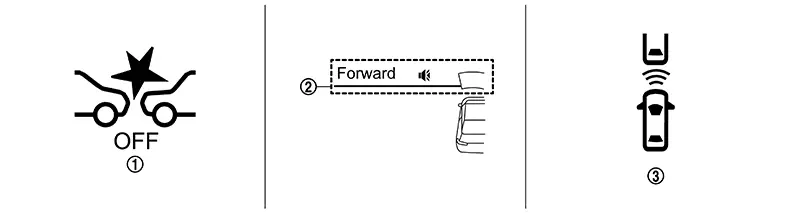
SYSTEM DISPLAY
|
No. |
Switch name |
Description |
|---|---|---|
|
|
AEB warning lamp |
|
|
|
I-FCW system indicator |
|
|
|
Nissan Sentra Vehicle ahead detection indicator |
|


DISPLAY AND WARNING
System Display
|
Condition |
Action |
Display on information display |
Warning lamp |
Buzzer |
|
|---|---|---|---|---|---|
|
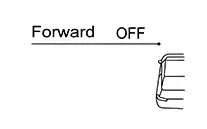
I-FCW OFF |
— |
 |
ON |
OFF |
|
|
I-FCW ON |
Nissan Sentra Vehicle is absent |
— |
I-FCW system indicator : White Speaker icon : White 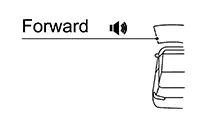
|
OFF |
OFF |
|
Nissan Sentra Vehicle is detected |
— |
I-FCW system indicator : White Speaker icon : White
|
OFF |
OFF |
|
|
There is a possibility of a collision with the Nissan Sentra vehicle ahead |
— |
Yellow (Blink) 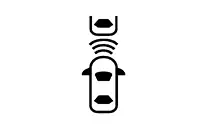
|
OFF |
Beep |
|
|
I-FCW system indicator : Yellow (Blink) Speaker icon : White
|
|||||
|
I-FCW system malfunction |
The I-FCW system is automatically canceled* |
I-FCW system indicator : White Speaker icon : Yellow
|
ON |
Beep |
|
|
Malfunction |
|||||
|
The I-FCW system is automatically canceled* |
I-FCW system indicator : White Speaker icon : Yellow (Blink)
|
Blink |
Beep |
|
|
Not Available Front Radar Blocked |
|||||
*: The system operates if the ignition switch is turned OFF⇒ON after the condition improves
7 Inch Information Display
Operation
SWITCH NAME AND FUNCTION
|
No. |
Switch name |
Description |
|---|---|---|
|
|
Steering switch |
|
SYSTEM DISPLAY
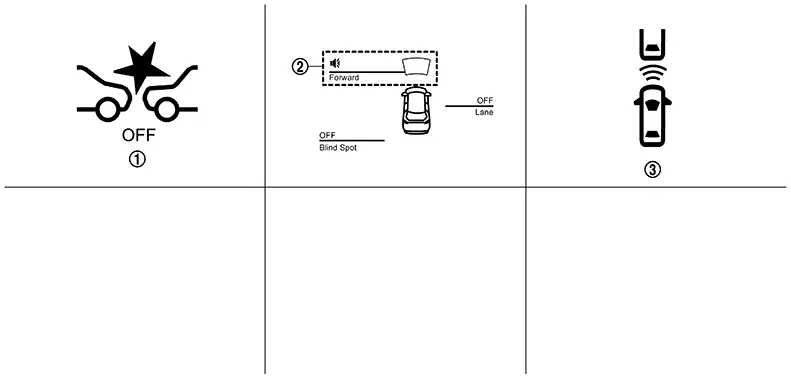
|
No. |
Switch name |
Description |
|---|---|---|
|
|
AEB warning lamp |
|
|
|
I-FCW system indicator |
|
|
|
Nissan Sentra Vehicle ahead indicator |
|
DISPLAY AND WARNING
System Display
|
Condition |
Action |
Display on information display |
Warning lamp |
Buzzer |
|
|---|---|---|---|---|---|
|
I-FCW OFF |
— |
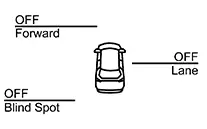 |
ON |
OFF |
|
|
I-FCW ON |
There is not a possibility of a collision with the Nissan Sentra vehicle ahead |
— |
I-FCW system indicator: White Speaker icon: White 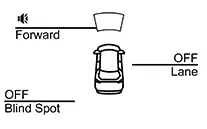
|
OFF |
OFF |
|
There is a possibility of a collision with the Nissan Sentra vehicle ahead |
|
Yellow (Blink)
|
OFF |
Beep |
|
|
I-FCW system indicator: Yellow (Blink) Speaker icon: White 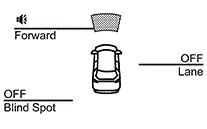
|
|||||
|
An obstacle ahead is avoided due to the system applying braking |
|
I-FCW system indicator: Yellow (Blink) Speaker icon: White
|
OFF |
Continuous beeps |
|
|
I-FCW system malfunction |
The I-FCW system is automatically canceled* |
Speaker icon: Yellow 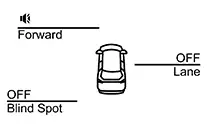
|
ON |
Beep |
|
|
Malfunction |
|||||
|
The I-FCW system is automatically canceled* |
I-FCW system indicator: White Speaker icon: Yellow (Blink)
|
Blink |
Beep |
|
|
Not Available Front Radar Blocked |
|||||
|
Front camera unit high temperature |
The I-FCW system is automatically canceled* |
I-FCW system indicator: White Speaker icon: Yellow (Blink)
|
Blink |
Beep |
|
|
Not Available High Cabin Temperature |
|||||
*: The system operates if the ignition switch is turned OFF⇒ON after the condition improves
Ldw
4.2 Inch Information Display
Operation
Switch Name and Function

|
No. |
Switch name |
Description |
|---|---|---|
|
|
Steering switch |
|
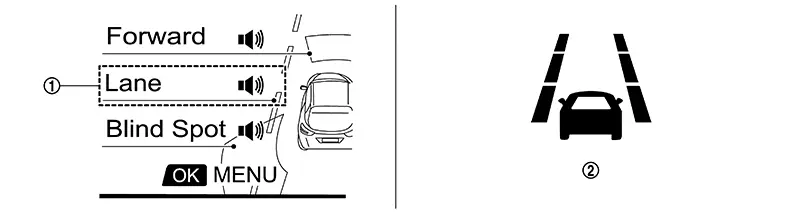
SYSTEM DISPLAY
|
No. |
Switch name |
Description |
|---|---|---|
|
|
LDW system indicator |
Indicates that LDW system is ON |
|
|
LDW indicator |
|
DISPLAY AND WARNING
System Display
|
Condition |
Action |
Display on information display |
Steering vibration |
|||
|---|---|---|---|---|---|---|
|
LDW OFF |
— |
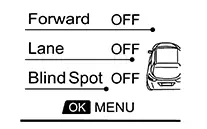 |
OFF |
|||
|
LDW ON |
Nissan Sentra Vehicle speed is less than approx. 55 km/h (34 MPH) |
— |
LDW system indicator : White Speaker icon : White 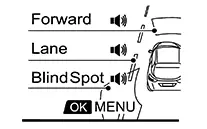
|
OFF |
||
|
Nissan Sentra Vehicle speed is approx. 55 km/h (34 MPH) or more |
Nissan Sentra Vehicle closes to lane marker |
Turn signal is OFF or ON (Opposite to the deviate side) |
— |
Yellow (Blink) 
|
ON |
|
|
LDW system indicator : Yellow (Blink) Speaker icon : White
|
||||||
|
Turn signal is ON (Deviate side) |
— |
LDW system indicator : White Speaker icon : White
|
OFF |
|||
|
LDW is malfunction |
The LDW system is automatically canceled. Note:
The system operates if the ignition switch is turned OFF⇒ON after the condition improves |
LDW system indicator : White Exclamation icon: Yellow 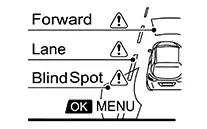
|
OFF |
|||
|
Malfunction |
||||||
|
Front camera unit high temperature |
The LDW system is automatically canceled. Note:
The system operates if the ignition switch is turned OFF⇒ON after the condition improves |
LDW system indicator : White Exclamation icon : Yellow (Blink)
|
OFF |
|||
|
Unavailable High Cabin Temperature |
||||||
After the operating conditions of warning are satisfied, the warning continues until the Nissan Sentra vehicle speed reaches approximately 55 km/h (34 MPH). Refer to System Description.
7 Inch Information Display
Operation
Switch Name and Function
|
No. |
Switch name |
Description |
|---|---|---|
|
|
Steering switch |
|
SYSTEM DISPLAY
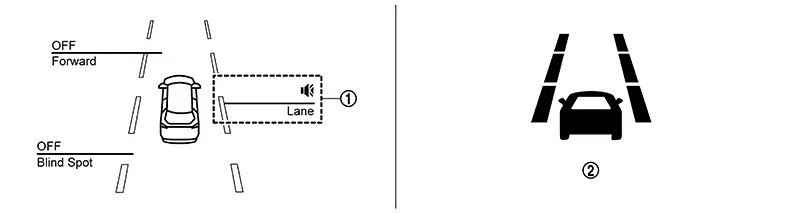
|
No. |
Switch name |
Description |
|---|---|---|
|
|
LDW system indicator |
Indicates that LDW system is ON |
|
|
LDW indicator |
Indicates that LDW system is ON |
DISPLAY AND WARNING
System Display
|
Condition |
Action |
Display on information display |
Steering vibration |
|||
|---|---|---|---|---|---|---|
|
LDW OFF |
— |
|
OFF |
|||
|
LDW ON |
Nissan Sentra Vehicle speed is less than approx. 55 km/h (34 MPH) |
— |
LDW system indicator : White Speaker icon : White 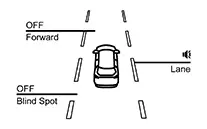
|
OFF |
||
|
Nissan Sentra Vehicle speed is approx. 55 km/h (34 MPH) or more |
Nissan Sentra Vehicle closes to lane marker |
Turn signal is OFF or ON (Opposite to the deviate side) |
— |
Yellow (Blink)
|
ON |
|
|
LDW system indicator : Yellow (Blink) Speaker icon : White 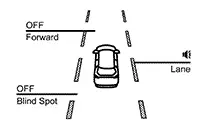
|
||||||
|
Turn signal is ON (Deviate side) |
— |
LDW system indicator : White Speaker icon : White
|
OFF |
|||
|
LDW is malfunction |
The LDW system is automatically canceled. Note:
The system operates if the ignition switch is turned OFF⇒ON after the condition improves |
LDW system indicator : White Speaker icon : Yellow
|
OFF |
|||
|
Malfunction |
||||||
|
Front camera unit high temperature |
The LDW system is automatically canceled. Note:
The system operates if the ignition switch is turned OFF⇒ON after the condition improves |
LDW system indicator : White Speaker icon : Yellow (Blink)
|
OFF |
|||
|
Not available High cabin temperature |
||||||
After the operating conditions of warning are satisfied, the warning continues until the Nissan Sentra vehicle speed reaches approximately 55 km/h (34 MPH). Refer to System Description.
Bsw
4.2 Inch Information Display
Operation
Switch Name and Function
|
No. |
Switch name |
Description |
|---|---|---|
|
|
Steering switch |
|
SYSTEM DISPLAY
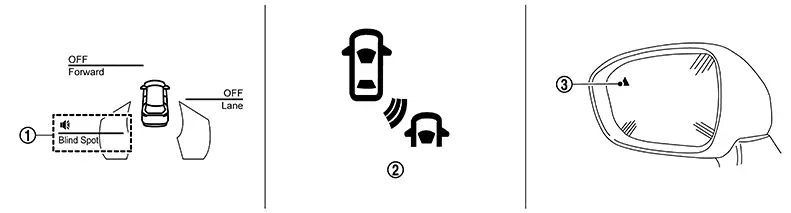
|
No. |
Switch name |
Description |
|---|---|---|
|
|
BSW system indicator |
Indicates that BSW system is ON |
|
|
BSW indicator |
Indicates that BSW system is ON |
|
|
BSW indicator LH/RH |
|

DISPLAY AND WARNING
System Display
|
Condition |
Action |
Display on information display |
Steering vibration |
|||
|---|---|---|---|---|---|---|
|
BSW OFF |
— |
|
OFF |
|||
|
BSW ON |
Nissan Sentra Vehicle speed is less than approx. 29 km/h (18 MPH) |
— |
BSW system indicator : White Speaker icon : White
|
OFF |
||
|
Nissan Sentra Vehicle speed is approx. 29 km/h (18 MPH) or more |
Nissan Sentra Vehicle closes to lane marker |
Turn signal is OFF or ON (Opposite to the deviate side) |
— |
Yellow (Blink)
|
ON |
|
|
BSW system indicator : Yellow (Blink) Speaker icon : White
|
||||||
|
Turn signal is ON (Deviate side) |
— |
BSW system indicator : White Speaker icon : White
|
OFF |
|||
|
BSW is malfunction |
The BSW system is automatically canceled. Note:
The system operates if the ignition switch is turned OFF⇒ON after the condition improves |
BSW system indicator : White Exclamation icon: Yellow
|
OFF |
|||
|
Malfunction |
||||||
|
Front camera unit high temperature |
The BSW system is automatically canceled. Note:
The system operates if the ignition switch is turned OFF⇒ON after the condition improves |
BSW system indicator : White Exclamation icon : Yellow (Blink)
|
OFF |
|||
|
Unavailable High Cabin Temperature |
||||||
-
If Nissan Sentra vehicle speed exceeds approximately 32 km/h (20 MPH), BSW function operates until the vehicle speed becomes lower than approximately 29 km/h (18 MPH).
-
Time shown in the figure is approximate time.
7 Inch Information Display
Operation
Switch Name and Function
|
No. |
Switch name |
Description |
|---|---|---|
|
|
Steering switch |
|
SYSTEM DISPLAY
|
No. |
Switch name |
Description |
|---|---|---|
|
|
BSW system indicator |
Indicates that BSW system is ON |
|
|
BSW indicator |
Blinks when BSW system is warning to driver |
|
|
BSW indicator LH/RH |
|
DISPLAY AND WARNING
System Display
|
Condition |
Action |
Indication on the BSW indicator |
Display on information display |
Buzzer |
|||
|---|---|---|---|---|---|---|---|
|
BSW OFF |
— |
OFF |
|
OFF |
|||
|
BSW ON |
Nissan Sentra Vehicle speed is less than approx. 32 km/h (20 MPH) |
— |
OFF |
BSW system indicator : White Speaker icon : White 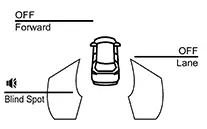
|
OFF |
||
|
Nissan Sentra Vehicle speed is approx. 32 km/h (20 MPH) or more |
Nissan Sentra Vehicle is not detected |
— |
OFF |
BSW system indicator : White Speaker icon : White
|
OFF |
||
|
Nissan Sentra Vehicle is detected |
Turn signal is OFF |
— |
ON |
BSW system indicator : White Speaker icon : White
|
OFF |
||
|
Nissan Sentra Vehicle is detected before turn signal operates |
Turn signal is ON (Nissan Sentra vehicle detected direction) |
— |
Blink |
Yellow (Blink) 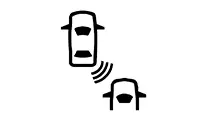
|
Short continuous beeps |
||
|
BSW system indicator : Yellow (Blink) Speaker icon : White 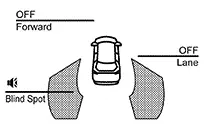
|
|||||||
|
Nissan Sentra Vehicle is detected after turn signal operates |
Turn signal is ON (Nissan Sentra vehicle detected direction) |
— |
Blink |
Yellow (Blink)
|
OFF |
||
|
BSW system indicator : Yellow (Blink) Speaker icon : White
|
|||||||
|
BSW is malfunction |
The BSW system is automatically canceled. Note:
The system operates if the ignition switch is turned OFF⇒ON after the condition improves |
OFF |
BSW system indicator : Yellow Speaker icon : Yellow
|
OFF |
|||
|
Malfunction |
|||||||
|
Dirt around the side radar |
The BSW system is automatically canceled. Note:
The system operates if the ignition switch is turned OFF⇒ON after the condition improves |
OFF |
BSW system indicator : White Speaker icon : Yellow
|
OFF |
|||
|
Unavailable Side Radar Obstruction |
|||||||
-
If Nissan Sentra vehicle speed exceeds approximately 32 km/h (20 MPH), BSW function operates until the vehicle speed becomes lower than approximately 29 km/h (18 MPH).
-
Time shown in the figure is approximate time.
Rcta
4.2 Inch Information Display
Operation
Switch Name and Function
|
No. |
Switch name |
Description |
|---|---|---|
|
|
Steering switch |
|
SYSTEM DISPLAY

|
No. |
Switch name |
Description |
|---|---|---|
|
|
BSW indicator LH/RH |
The indicator is shared with BSW |
DISPLAY AND WARNING
System Display
|
Condition |
Action |
Indication on the BSW indicator |
Display on information display |
Buzzer |
|||
|---|---|---|---|---|---|---|---|
|
RCTA OFF |
— |
OFF |
— |
OFF |
|||
|
RCTA ON |
Shift lever is in any position other than reverse |
— |
OFF |
— |
OFF |
||
|
Shift lever is in reverse |
Nissan Sentra Vehicle speed is less then approx. 8 km/h (5 MPH) |
Nissan Sentra Vehicle is not detected |
— |
OFF |
— |
OFF |
|
|
Nissan Sentra Vehicle is detected |
— |
Blink |
— |
Single beep |
|||
|
Nissan Sentra Vehicle speed is approx. 8 km/h (5 MPH) or more |
Nissan Sentra Vehicle is detected |
— |
— |
— |
— |
||
|
RCTA is malfunction |
The RCTA system is automatically canceled. Note:
The system operates if the ignition switch is turned OFF⇒ON after the condition improves |
— |
System fault |
— |
|||
|
Dirt around the side radar |
The RCTA system is automatically canceled. Note:
The system operates if the ignition switch is turned OFF⇒ON after the condition improves |
— |
Not available Side Radar Obstruction |
— |
|||
7 Inch Information Display
Operation
Switch Name and Function
|
No. |
Switch name |
Description |
|---|---|---|
|
|
Steering switch |
|
SYSTEM DISPLAY
|
No. |
Switch name |
Description |
|---|---|---|
|
|
BSW indicator LH/RH |
The indicator is shared with BSW |
DISPLAY AND WARNING
System Display
|
Condition |
Action |
Indication on the BSW indicator |
Display on information display |
Buzzer |
|||
|---|---|---|---|---|---|---|---|
|
RCTA OFF |
— |
OFF |
— |
OFF |
|||
|
RCTA ON |
Shift lever is in any position other than reverse |
— |
OFF |
— |
OFF |
||
|
Shift lever is in reverse |
Nissan Sentra Vehicle speed is less then approx. 8 km/h (5 MPH) |
Nissan Sentra Vehicle is not detected |
— |
OFF |
— |
OFF |
|
|
Nissan Sentra Vehicle is detected |
— |
Blink |
— |
Single beep |
|||
|
Nissan Sentra Vehicle speed is approx. 8 km/h (5 MPH) or more |
Nissan Sentra Vehicle is detected |
— |
— |
— |
— |
||
|
RCTA is malfunction |
The RCTA system is automatically canceled. Note:
The system operates if the ignition switch is turned OFF⇒ON after the condition improves |
— |
System fault |
— |
|||
|
Dirt around the side radar |
The RCTA system is automatically canceled. Note:
The system operates if the ignition switch is turned OFF⇒ON after the condition improves |
— |
Not available Side Radar Obstruction |
— |
|||
Tsr
4.2 Inch Information Display
Operation
SWITCH NAME AND FUNCTION
|
No. |
Switch name |
Description |
|---|---|---|
|
|
Steering switch |
|
SYSTEM DISPLAY
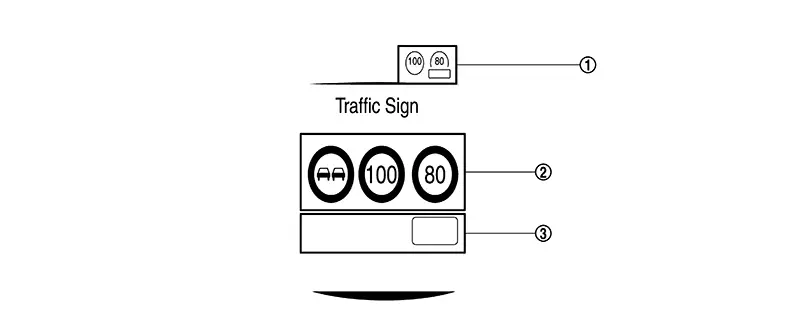
|
No. |
Display item |
Description |
|---|---|---|
|
|
Speed limit sign indicator |
|
|
|
Road sign indicator |
|
|
|
Supplemental sign indicator |
|
DISPLAY AND WARNING
System Display
The TSR systems operate when ON is selected with the combination meter.
|
System status |
Condition |
Display on combination meter |
|
|---|---|---|---|
|
Upper part |
Middle part |
||
|
TSR OFF |
— |
— |
 |
|
TSR ON |
Road sign not detected |
— |
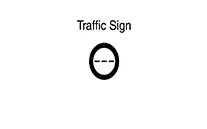 |
|
Road sign detected (except for speed limit signs) |
— |
This is an example. For details of displayed signs, Refer to System Description. 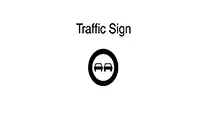
|
|
|
Road sign detected (Speed limit signs) |
This is an example. For details of displayed signs, Refer to System Description. 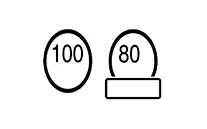
|
This is an example. For details of displayed signs, Refer to System Description. 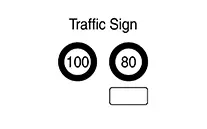
|
|
|
TSR is malfunction |
The TSR system is automatically canceled. |
— |
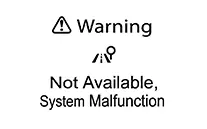 |
7 Inch Information Display
Operation
SWITCH NAME AND FUNCTION
|
No. |
Switch name |
Description |
|---|---|---|
|
|
Steering switch |
|
SYSTEM DISPLAY
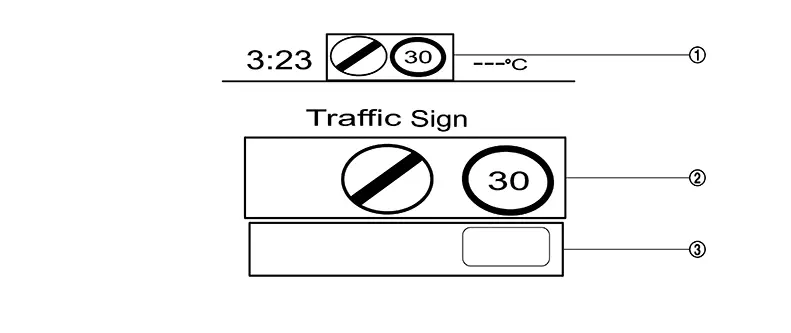
|
No. |
Display item |
Description |
|---|---|---|
|
|
Speed limit sign indicator |
|
|
|
Road sign indicator |
|
|
|
Supplemental sign indicator |
|
DISPLAY AND WARNING
System Display
The TSR systems operate when ON is selected with the combination meter.
|
System status |
Condition |
Display on combination meter |
|
|---|---|---|---|
|
Upper part |
Middle part |
||
|
TSR OFF |
— |
— |
|
|
TSR ON |
Road sign not detected |
— |
|
|
Road sign detected (except for speed limit signs) |
— |
This is an example. For details of displayed signs, Refer to System Description.
|
|
|
Road sign detected (Speed limit signs) |
This is an example. For details of displayed signs, Refer to System Description.
|
This is an example. For details of displayed signs, Refer to System Description.
|
|
|
TSR is malfunction |
The TSR system is automatically canceled. |
— |
System fault |
I-Da
4.2 Inch Information Display
Operation
SWITCH NAME AND FUNCTION
|
No. |
Switch name |
Description |
|---|---|---|
|
|
Steering switch |
|
DISPLAY AND WARNING
|
Nissan Sentra Vehicle condition/ Driver’s operation |
Display on combination meter |
|||
|---|---|---|---|---|
|
I-DA OFF |
— |
|||
|
I-DA ON |
 |
|||
|
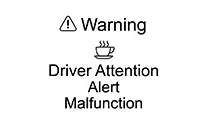
I-DA is malfunction |
 |
|||
7 Inch Information Display
Operation
SWITCH NAME AND FUNCTION
|
No. |
Switch name |
Description |
|---|---|---|
|
|
Steering switch |
|
DISPLAY AND WARNING
|
Nissan Sentra Vehicle condition/ Driver’s operation |
Display on combination meter |
|||
|---|---|---|---|---|
|
I-DA OFF |
— |
|||
|
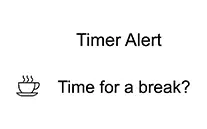
I-DA ON |
 |
|||
|
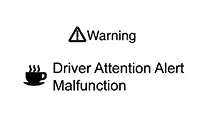
I-DA is malfunction |
 |
|||
Other materials:
System
Meter System
System Description
System Description
SYSTEM DIAGRAM
Combination Meter Input Signal (CAN Communication
Signal)
Transmit unit
Signal name
...
B24d4-08 A/c Control Comm
Dtc Description
DTC Description
DTC DETECTION LOGIC
DTC No.
CONSULT screen terms
(Trouble diagnosis content)
DTC detection condition
...
Consult Checking System
Description
Description
Note:
This vehicle is diagnosed using the CONSULT-III
plus.
When CONSULT is connected with a data link connector equipped on the
Nissan Sentra vehicle side, it will
communicate with the control unit equipped in the vehicle and then
...