
Nissan Sentra Service Manual: General Precautions
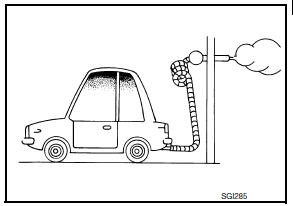 Do not operate the
engine for an extended period of time without proper exhaust ventilation.
Keep the work area well ventilated and free of any inflammable materials. Special care should be taken when handling any inflammable or poisonous materials, such as gasoline, refrigerant gas, etc. When working in a pit or other enclosed area, be sure to properly ventilate the area before working with hazardous materials.
Do not smoke while working on the vehicle.
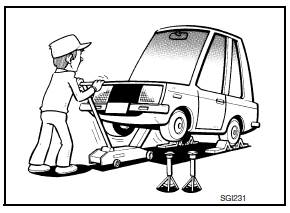
- Before jacking up the vehicle, apply wheel chocks or other tire
blocks to the wheels to prevent the vehicle from moving. After jacking
up the vehicle, support the vehicle weight with safety stands at
the points designated for proper lifting before working on the vehicle.
These operations should be done on a level surface.
- When removing a heavy component such as the engine or transaxle/ transmission, be careful not to lose your balance and drop them. Also, do not allow them to strike adjacent parts, especially the brake tubes and master cylinder.
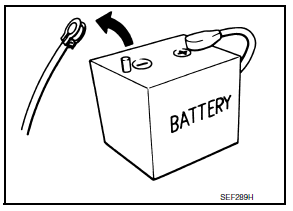
- Before starting repairs which do not require battery power:
Turn off ignition switch.
Disconnect the negative battery terminal.
- If the battery terminals are disconnected, recorded memory of radio and each control unit is erased.
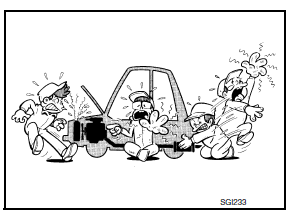
- To prevent serious burns:
Avoid contact with hot metal parts.
Do not remove the radiator cap when the engine is hot.
- Dispose of drained oil or the solvent used for cleaning parts in an appropriate manner.
- Do not attempt to top off the fuel tank after the fuel pump nozzle
shuts off automatically.
Continued refueling may cause fuel overflow, resulting in fuel spray and possibly a fire.
- Clean all disassembled parts in the designated liquid or solvent prior to inspection or assembly.
- Replace oil seals, gaskets, packings, O-rings, locking washers, cotter pins, self-locking nuts, etc. with new ones.
- Replace inner and outer races of tapered roller bearings and needle bearings as a set.
- Arrange the disassembled parts in accordance with their assembled locations and sequence.
- Do not touch the terminals of electrical components which use
microcomputers (such as ECM).
Static electricity may damage internal electronic components.
- After disconnecting vacuum or air hoses, attach a tag to indicate the proper connection.
- Use only the fluids and lubricants specified in this manual.
- Use approved bonding agent, sealants or their equivalents when required.
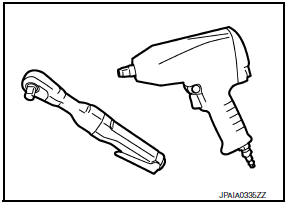
- Use hand tools, power tools (disassembly only) and recommended special tools where specified for safe and efficient service repairs.
- When repairing the fuel, oil, water, vacuum or exhaust systems, check all affected lines for leaks.
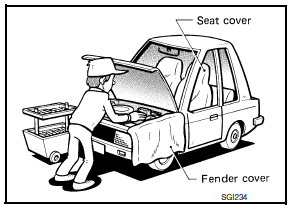
- Before servicing the vehicle:
Protect fenders, upholstery and carpeting with appropriate covers.
Take caution that keys, buckles or buttons do not scratch paint.
WARNING:
To prevent ECM from storing the diagnostic trouble codes, do not carelessly disconnect the harness connectors which are related to the engine control system and TCM (transmission control module) system. The connectors should be disconnected only when working according to the WORK FLOW of TROUBLE DIAGNOSES in EC and TM sections.
 Cautions in Removing Battery Terminal and AV Control Unit
CAUTION:
Remove battery terminal and AV control unit after a lapse of 30
seconds or more after turning the ignition
switch OFF.
NOTE:
After the ignition switch is turned OFF, the AV control unit ...
 Three Way Catalyst
If a large amount of unburned fuel flows into the catalyst, the catalyst
temperature will be excessively high. To
prevent this, follow the instructions.
Use unleaded gasoline only. Leaded gasol ...
Other materials:
Tire chains
CAUTION
Tire chains/cables should not be installed
on P205/50R17 size tires. Installation of
the tire chains/cables on P205/50R17 size
tires will cause damage to the vehicle. If
you plan to use tire chains/cables, you
should install P205/55R16 size tires on
your vehicle.
Use of tire chains m ...
Air cleaner filter
Exploded View
Mass air flow sensor
Mass air flow gasket
Clamp
Air duct (suction side)
Resonator
Clamp
PCV hose
Clamp
Clamp
Air cleaner cover
Mounting rubber
Air cleaner filter
Air cleaner body
Air duct inlet (lower)
Air duct inlet (upper)
Grommet
Bracket
Gro ...
Three-point type seat belt with retractor
WARNING
Every person who drives or rides in this
vehicle should use a seat belt at all
times.
Do not ride in a moving vehicle when
the seatback is reclined. This can be
dangerous. The shoulder belt will not
be against your body. In an accident,
you could be thr ...
